Running a business often means handling documents, invoices, contracts, product images, and marketing files every day. However, many small businesses still waste time with oversized PDFs, incompatible image formats, or scattered files.
Simple online tools can solve these problems in seconds.
The tools available on Expert2Lab Business help entrepreneurs and small companies work faster without paying for expensive software. They also fit perfectly into modern digital workflows, especially for remote teams and online businesses.
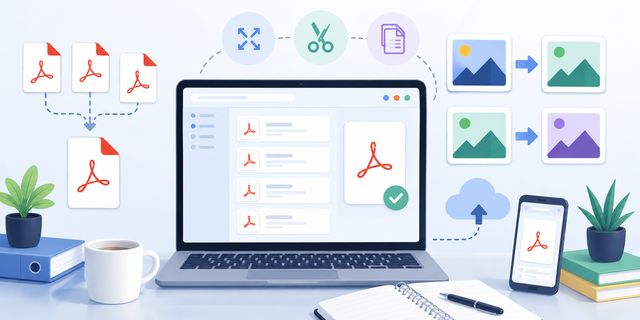
In this guide, you will discover how five free online tools can improve productivity, simplify file management, and help small businesses stay organized.
The tools covered include:
- Merge PDF
- Compress PDF
- Split PDF
- JPG to WebP
- WebP to JPG
Why Small Businesses Need Better File Management Tools
Most businesses exchange digital files every day. Contracts, brochures, invoices, product photos, presentations, and reports quickly accumulate.
Unfortunately, common problems appear very fast:
- PDF files become too large for email;
- image formats create compatibility issues;
- teams struggle to organize documents;
- customers receive incomplete files;
- uploads slow down websites.
Many companies still rely on complex desktop software. However, online tools now offer a faster and simpler alternative.
Because these tools work directly in the browser, businesses avoid:
- software installation;
- monthly subscriptions;
- maintenance costs;
- complicated updates.
This approach also supports flexible work environments, which continue to grow among small businesses and remote teams.
Merge PDF: Create One Professional Document
Businesses often handle multiple PDF documents for the same project. For example:
- invoices;
- signed contracts;
- proposals;
- reports;
- scanned pages.
Sending many separate files looks disorganized. Therefore, combining them into one document creates a more professional experience.
How Merge PDF Helps Businesses
The Merge PDF tool allows users to combine several PDF files into one single document directly online.
This becomes useful for:
| Business Need | Benefit |
|---|---|
| Client proposals | Cleaner presentation |
| Accounting documents | Easier archiving |
| HR paperwork | Simplified sharing |
| Real estate files | Better organization |
| Legal contracts | Faster communication |
Instead of attaching five or six files to an email, businesses can send one clean document.
Useful for Remote Teams
Remote work continues to increase among small businesses. As a result, document sharing has become a daily task.
A simple PDF merge tool reduces confusion and improves collaboration.
Employees can quickly assemble:
- meeting notes;
- scanned signatures;
- project reports;
- onboarding documents.
This saves time while improving communication inside the company.
Compress PDF: Reduce File Size for Faster Workflows
Large PDF files slow down business operations more than many people realize.
Heavy documents create problems such as:
- failed email attachments;
- slow downloads;
- storage overload;
- poor mobile experience.
Compress PDF solves this issue by reducing the file size while keeping the document readable.
Why File Compression Matters
Speed plays an important role in business productivity. A customer waiting for a document may lose patience if downloads take too long.
Compressed PDFs help businesses:
- send files faster;
- reduce cloud storage usage;
- improve mobile accessibility;
- speed up internal communication.
This becomes especially important for companies handling scanned documents or image-heavy reports.
Helpful for Marketing and Sales
Sales teams often send catalogs, brochures, and presentations in PDF format. However, large files can reduce engagement.
Smaller PDFs improve:
- email delivery rates;
- customer experience;
- mobile viewing;
- loading speed.
Businesses focused on digital marketing also benefit from lighter downloadable content because faster pages improve user experience and online visibility. (Expert2Lab)
Split PDF: Share Only What Matters
Businesses rarely need to share an entire PDF document every time.
Sometimes only one page matters.
The Split PDF tool allows users to extract specific pages or separate a PDF into smaller documents.
Practical Business Use Cases
This tool becomes extremely useful for:
- extracting signed pages;
- isolating invoices;
- sharing one contract section;
- separating reports;
- removing confidential pages.
For example, an accountant may need only one invoice from a 50-page file.
Instead of sending the full document, Split PDF creates a smaller and cleaner version.
Better Privacy and Organization
Sending unnecessary pages increases the risk of sharing sensitive information accidentally.
Splitting PDFs helps businesses:
- improve confidentiality;
- reduce file clutter;
- simplify communication;
- organize archives more efficiently.
This simple step can improve professionalism and reduce mistakes.
JPG to WebP: Improve Website Speed and SEO
Website speed strongly affects user experience and online visibility.
Large images remain one of the biggest causes of slow websites. Therefore, modern businesses increasingly convert JPG images into WebP format.
WebP images usually provide:
- smaller file sizes;
- faster loading times;
- good visual quality;
- lower bandwidth usage.
Why WebP Matters for Online Businesses
Google values fast websites because users prefer quick browsing experiences.
As a result, lighter images can help:
- improve SEO performance;
- reduce bounce rates;
- optimize mobile browsing;
- improve e-commerce speed.
Many business websites now use WebP images to stay competitive online.
Ideal for E-Commerce and Content Marketing
Online stores upload product images constantly. Bloggers and marketers also publish visual content every day.
Converting JPG files to WebP helps businesses:
- optimize product pages;
- speed up blog articles;
- improve ad landing pages;
- reduce hosting costs.
This becomes especially important for businesses targeting mobile users, since slower pages often reduce conversions.
WebP to JPG: Maintain Compatibility Everywhere
Although WebP continues to grow, JPG still remains the most widely supported image format.
Some platforms, applications, or older systems still struggle with WebP files.
The WebP to JPG tool solves this problem instantly.
Why Businesses Still Need JPG
JPG works almost everywhere:
- social media platforms;
- office software;
- printers;
- older websites;
- external marketplaces.
Businesses often need maximum compatibility, especially when sharing files with customers or partners.
Simplify Cross-Platform Communication
Not every client uses modern software. Therefore, converting WebP images back to JPG avoids compatibility issues.
This helps businesses maintain smooth communication without technical complications.
Marketing teams also benefit because many advertising platforms still prefer traditional image formats.
Online Tools Help Businesses Reduce Costs
Many companies pay monthly subscriptions for software they barely use.
Online tools offer a different approach.
Benefits for Small Businesses
Free browser-based tools help businesses reduce expenses because they eliminate:
- software licensing fees;
- installation costs;
- maintenance requirements;
- hardware limitations.
This matters even more for startups and small companies operating with limited budgets.
Accessible From Any Device
Modern businesses work from many locations:
- office computers;
- laptops;
- tablets;
- smartphones.
Because these tools work online, employees can access them almost anywhere.
This flexibility supports faster decision-making and more efficient workflows.
Simple Tools Often Create Bigger Productivity Gains
Many entrepreneurs focus on large business systems while ignoring small daily inefficiencies.
However, repetitive document tasks consume valuable time every week.
Simple tools can improve workflows by:
- reducing manual work;
- simplifying file management;
- improving communication;
- accelerating digital processes.
Research also shows that businesses increasingly rely on digital tools and automation to improve operational efficiency and reduce repetitive tasks.
Even small improvements can create significant long-term productivity gains.
Conclusion
Modern businesses depend heavily on digital documents and online communication. Therefore, fast and simple file management tools have become essential.
With:
small businesses can simplify document handling, improve website performance, and reduce everyday friction.
These tools remain easy to use, accessible to non-technical users, and compatible with modern business workflows.
For startups, freelancers, online stores, and growing companies, simple productivity tools often make a bigger difference than expected.

